ANT BMS + VESC
ANT BMS to VESC Bridge
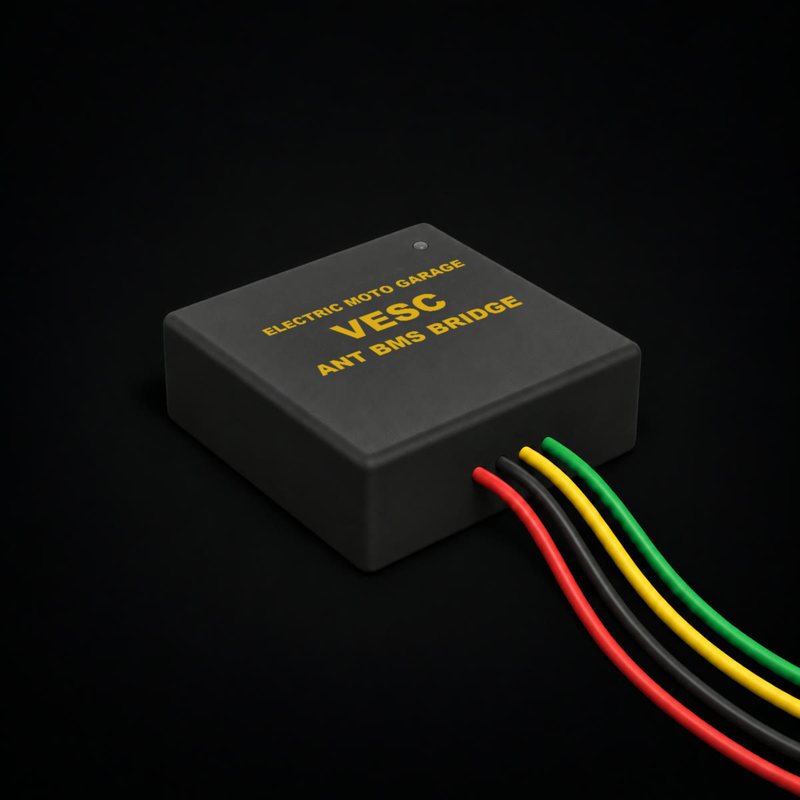
See every cell of your ANT BMS battery inside VESC Tool. The bridge reads your ANT BMS over Bluetooth and sends the data to your VESC over CAN bus, in the BMS format VESC already understands. It also logs your rides.
ANT BMS and VESC don’t speak the same CAN.
Even an ANT BMS with CAN bus needs converting.
ANT BMS with CAN bus
Most ANT BMS boards ship with Bluetooth only. You can special order one with a CAN port. But ANT’s CAN messages are ANT’s own. A VESC does not understand them, so plugging an ANT CAN port into a VESC shows nothing.
VESC’s BMS messages
VESC Tool has a BMS page built in. It fills in only when a BMS sends VESC’s own BMS messages on the CAN bus. The bridge reads the ANT BMS and sends exactly those, so VESC Tool sees a BMS it understands. No special CAN version of the ANT BMS needed.
Bluetooth in, VESC CAN out.
Short and plain.
Reads ANT over Bluetooth
Connects to your ANT BMS over Bluetooth, the same way the ANT phone app does. No wire to the BMS.
Speaks VESC CAN
Sends the battery data on your VESC’s CAN bus as standard VESC BMS messages.
Cells in VESC Tool
Open the BMS page in VESC Tool and see every cell voltage, pack voltage, current, state of charge and temperatures, live.
Small screen
A tiny screen on the bridge shows link status, pack voltage, state of charge and lowest and highest cell.
Ride logger
Logs to built-in memory, about 5 hours of riding at one record per second. Download it as a CSV file.
DIY wiring
Four bare wires: power, ground, CAN High and CAN Low. You wire it in yourself.
Read only
It only reports. It never changes a controller setting, and your BMS still protects the cells.
Same box, other jobs.
From the same family.
Running a SURRON Ultra Bee?
The Bee Battery Emulator is the same idea for the stock Ultra Bee controller: it reads an ANT BMS and gives the bike the battery signal it expects.
Want a dash too?
The BeeDash HUD Micro shows VESC and ANT BMS data on a tiny touchscreen on your bars.
The short version.
What we can say today.
| Reads | ANT BMS over Bluetooth. Newer ANT and JBD support planned, in testing |
| Sends | Standard VESC BMS messages on the VESC CAN bus |
| Shows | Every cell voltage, min/max cell, pack voltage, current, state of charge, temperatures and Ah/Wh in VESC Tool’s BMS page |
| Firmware | Designed for VESC 6 and VESC 7 |
| Logger | Built-in memory, about 5 h at 1 record per second. CSV download |
| Screen | Small screen: link status, pack voltage, state of charge, min/max cell |
| Wires | Four bare wires: power, ground, CAN High, CAN Low. DIY |
| Price | $49 + $9.99 shipping |
| Availability | Coming soon. Being tested now. Get notified, no payment |
| Affiliation | Not affiliated with ANT or the VESC project |
ANT BMS to VESC Bridge · $49
$49 plus $9.99 shipping when it ships. It is in testing now. Leave your email and we will tell you the day it is ready. No payment now.
Questions about your BMS or VESC? Email hello@electricmotogarage.com.
Not affiliated with ANT or the VESC project. See our refund policy and terms.
ANT BMS and VESC questions
Can a VESC read an ANT BMS?
Not on its own. VESC Tool has a BMS page, but it only understands VESC’s own BMS messages. An ANT BMS does not send those. The ANT BMS to VESC Bridge reads the ANT BMS over Bluetooth and sends the data to the VESC over CAN bus in the format VESC expects.
My ANT BMS has CAN bus. Do I still need this?
Probably yes. ANT BMS boards can be special ordered with a CAN port, but ANT uses its own CAN messages, not VESC’s. A VESC cannot read them directly, so they still have to be converted. The bridge does that conversion, and it works with the standard Bluetooth ANT BMS, so you do not need the special CAN version at all.
What do I see in VESC Tool?
Your battery’s data, live in VESC Tool’s BMS page: every cell voltage, lowest and highest cell, pack voltage, current, state of charge, cell temperatures and the BMS temperature, plus amp-hours and watt-hours counted by the bridge. Balancing status is not shown yet.
Can my VESC use the BMS data?
Yes, if you want it to. Once the controller sees a BMS, VESC’s own built-in BMS limits (temperature, state of charge, low cell, and high cell for regen) can be turned on in VESC Tool. They are off unless you turn them on. The bridge itself never changes any controller setting.
Does it log my rides?
Yes. It keeps a log in built-in memory: about 5 hours of riding at one record per second, or about 2 days at one record every 10 seconds. In auto mode it logs every second while riding and every minute when parked. Download the log as a CSV file.
Which VESC firmware does it need?
It is designed for VESC 6 and VESC 7 firmware, which have the BMS page in VESC Tool. We will list tested controllers once testing is done.
How does it connect?
It talks to the ANT BMS over Bluetooth, so there is no wire to the BMS. It connects to your VESC’s CAN bus with bare wires: power, ground, CAN High and CAN Low. It is a DIY product and you wire it in yourself.
Which ANT BMS boards does it work with?
ANT BMS boards with Bluetooth. Support for the newer ANT boards (the ANT-BLE app) and for JBD / Xiaoxiang BMS is planned and in testing. Not sure about yours? Email us a photo of the BMS label.
Does it change how my VESC or BMS works?
No. It only reports battery data to the VESC. Your BMS still protects the cells, and your VESC settings stay yours.
When can I get one?
It is coming soon at $49 plus $9.99 shipping. It is in testing now. Leave your email and we will tell you when it ships. No payment now.
Is this made by ANT or VESC?
No. Electric Moto Garage makes it. We are not affiliated with ANT or with the VESC project. ANT and VESC are named only to say what it works with.