BeeDash app
Your bike’s data, live on your phone.
BeeDash is a live CAN bus telemetry dashboard designed for Light Bee, Ultra Bee, and compatible electric motorcycles.
Free download. Live data needs a BeeLatch on the bike. The iPhone beta is open on TestFlight; Google Play is coming.
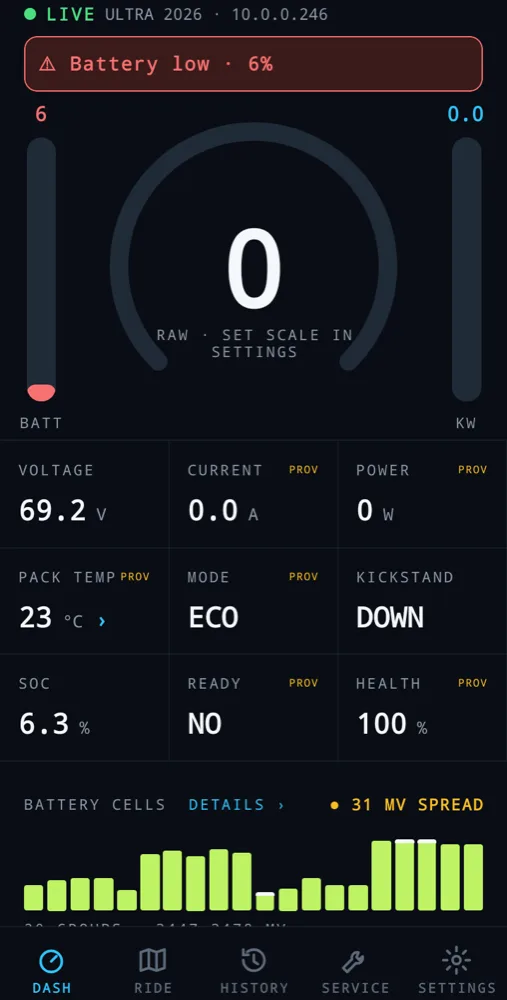
What BeeDash shows.
Built for riders who want the detail — and for anyone who wants to know their battery is healthy before a ride.
Live battery
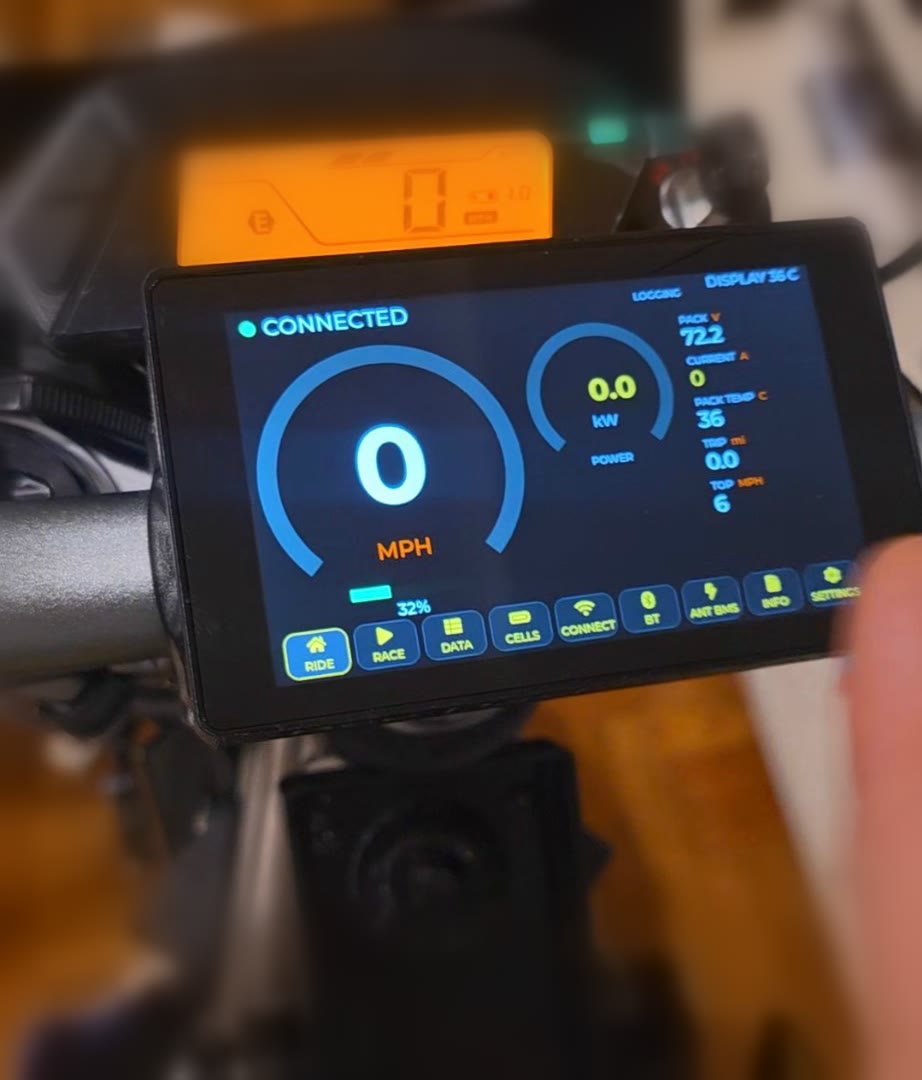
Pack voltage, current, state of charge, health and power, with a clear live, stale or offline status.
Every cell group
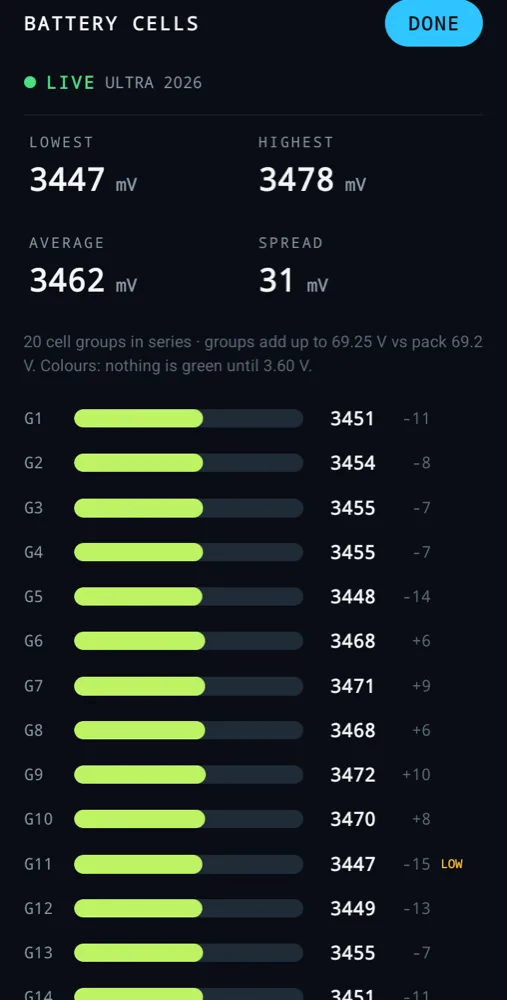
Each group in millivolts with the highest, lowest, average and spread — imbalance is obvious at a glance.
Temperatures
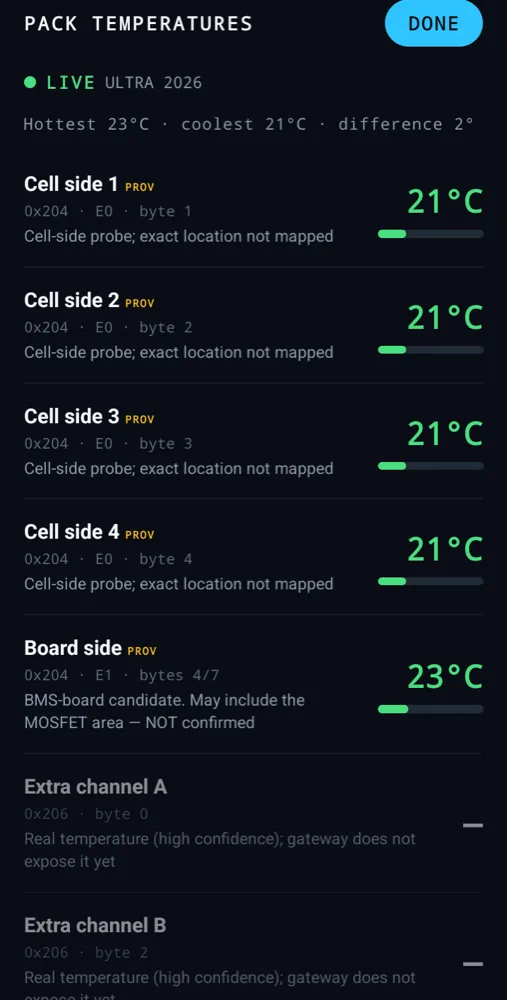
Every temperature channel the battery reports, with hottest, coolest and difference.
Ride recorder & map
GPS rides on a live map with distance, time and speed. A motion filter ignores GPS drift when you are parked.
History & export
Weekly, monthly and all-time totals, with efficiency in Wh per mile. Export any ride as GPX (with speed, power and temperature) or CSV.
Ride video & audio
Mount your phone on the handlebars and record the ride on video — with your data saved alongside it. Audio is optional (and noisy).
Alerts & fault codes
Low-battery, hot-pack and cell-spread alerts, plus a fault-code reference and symptom guide.
Logger tools
Download BeeLatch SD recordings and install signed BeeLatch firmware updates.
Honest labels
Confirmed, provisional and raw values look different. Speed is an estimate until you set the scale.
Cloud history & GoPro HUD Soon
Rides sync automatically when BeeLatch joins your home Wi-Fi, plus a built-in HUD overlay export for your GoPro video. Overlay with free tools today →
Why don’t the brands show you your cells?
The official SURRON app doesn’t show individual cell voltages — and neither does Stark’s app for the Varg. My guess as to why: if every owner could see that one cell sits 10 mV below the others, a lot of them would email every day asking why.
I also think hiding it keeps warranty cases and support emails down, and lowers the brand’s exposure during the one-year warranty. Small differences between cells are normal. Big, growing ones are worth knowing about — and I think it’s your battery, so you should be able to see it. That’s why BeeDash shows every group.
— Kevin Graehl, creator of BeeDash. This is my opinion, not a statement from any manufacturer.
Get BeeDash now
Android: download the APK right now. iPhone: join the public TestFlight beta. Google Play is coming. Questions or something you would like added? Text or email us.
Android — today
- Tap a download button below on your Android phone. Stable (version 0.9.1, about 56 MB) is the tested build. Beta (version 0.11.2, about 57 MB) is the newest test build. It connects over Bluetooth first and adds Wi-Fi setup over Bluetooth, a bike-model picker and a keep-screen-awake option. Older or unusual phones can use the universal build.
- Open the downloaded file.
- Allow installs from your browser or files app when Android asks, then tap Install.
Not on Google Play yet, so Android will warn that the file comes from outside the store. Universal build · Terms
iPhone — public beta, join now
Install Apple’s free TestFlight app, tap the button, then Install. In BeeDash, open Settings and switch on Demo mode to try it without a bike.
If Apple says the beta is full or not accepting testers, check back soon.
Android on Google Play — help us launch
BeeDash is in Google Play’s closed test. To join: (1) join our free Google Group with any Google account, (2) open the test link and tap Become a tester, (3) install from Google Play. Please keep it installed for 14 days. Google needs a group of testers to stay opted in before it lets us publish publicly. If something breaks or confuses you, tell us. Once BeeDash is public on Google Play, a review helps a lot.
Want one message when the public Play listing is live? Leave your email.
What is CAN bus?
CAN bus is a two-wire network. On a SURRON Ultra Bee or Light Bee 2, the battery, the motor controller and the dash share the same two wires, CAN-H and CAN-L, and every device hears every message. A smart charger joins in through the charge port. If two devices talk at once, the more important message wins and the other waits.
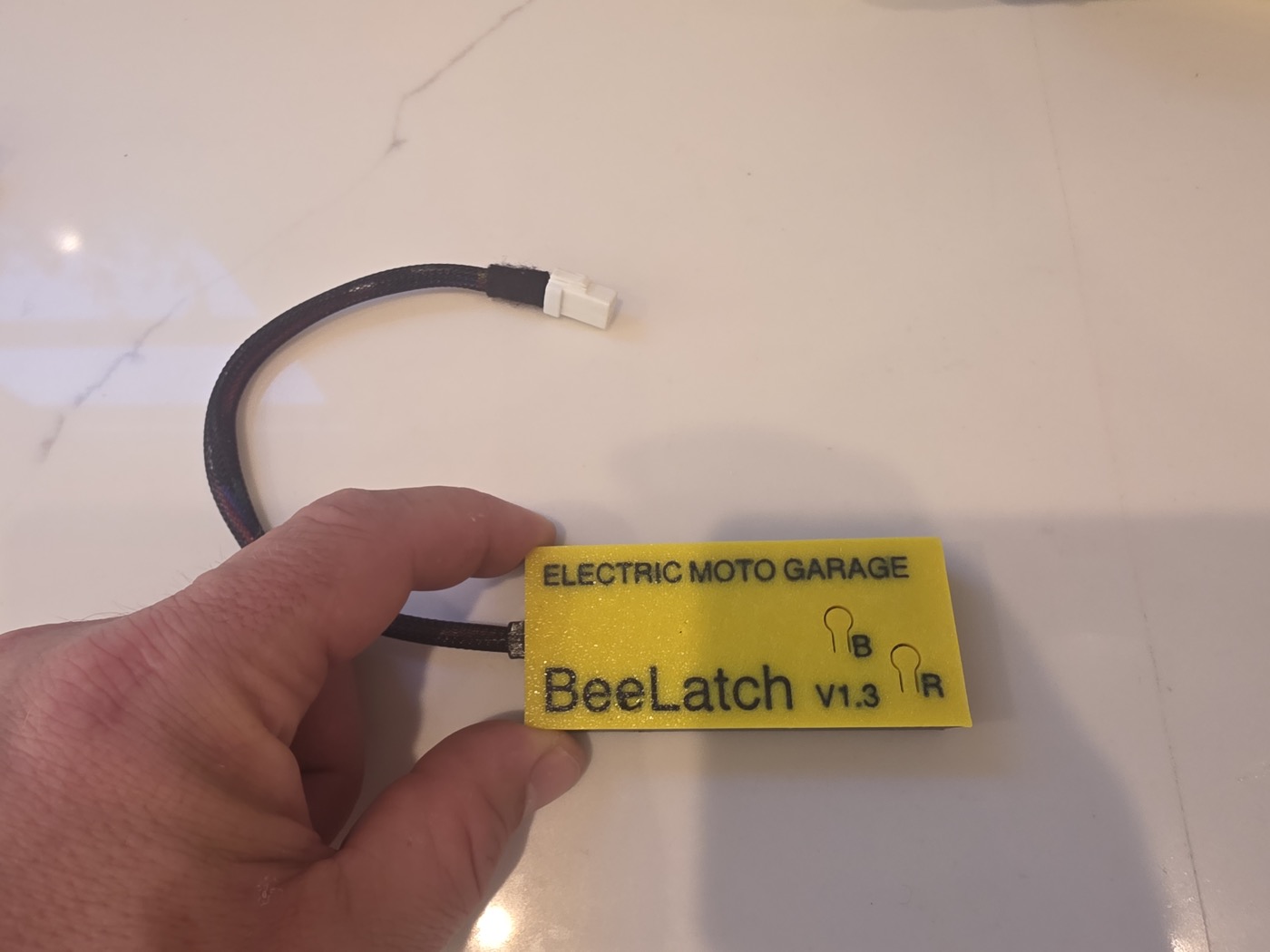
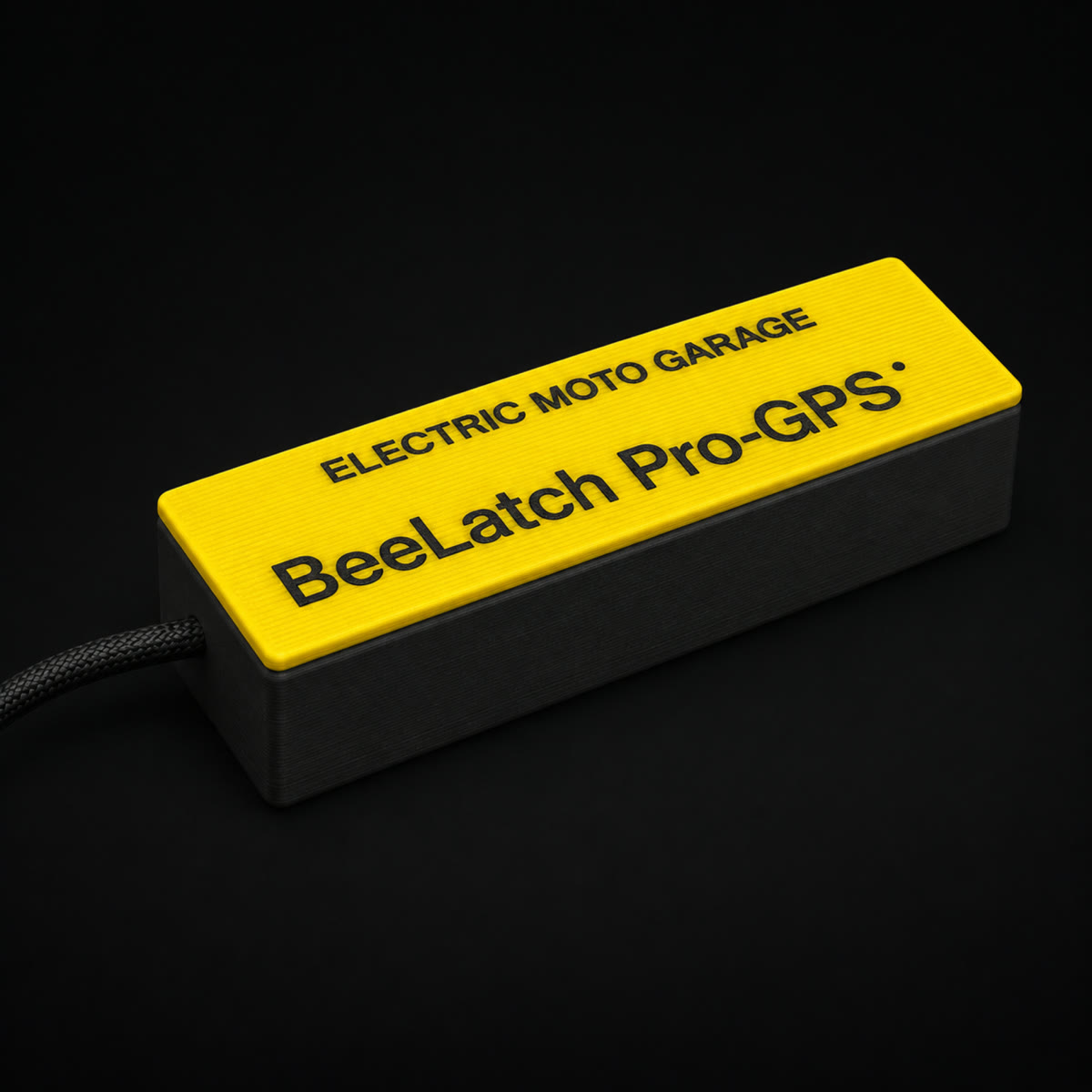
The BeeDash app shows that conversation on your phone, through a BeeLatch that listens to the bus.
Read: what charging connector does my SURRON have, and how CAN bus works →
Questions
Is BeeDash free?
Yes — BeeDash is a free download. An optional Pro upgrade with extras such as wiring-harness diagrams is planned; pricing has not been announced.
Do I need extra hardware?
For live bike data, yes: BeeDash reads your bike through a BeeLatch installed in the T-Box position.
How accurate are the readings?
Pack voltage, state of charge, cell-group voltages and kickstand state are decoded from captured CAN data. Current direction, temperatures and ride mode are labelled provisional until validated. Speed is an estimate only after you set a scale.
Where is my data stored?
Today, rides, GPS tracks and settings stay on your phone and no account is required. Automatic cloud ride history is coming with BeeLatch; before it launches we will publish exactly what is stored and how to delete it.
Can I overlay my ride on GoPro video?
Today you can export a ride as GPX or CSV and load it into a video-overlay tool. A built-in BeeDash HUD overlay export is coming soon.