BeeDash HUD 4.3″ Bright · $139 + $9.99 shipping
A bigger, brighter dash for your TORP controller
Running a TORP TC1000 or TC500 on your SURRON Ultra Bee? The BeeDash HUD 4.3″ Bright reads your TORP over Bluetooth and puts it all on a 4.3″ touchscreen: speed, battery, every cell, controller and motor temperature, battery and motor amps, and watts. It plugs into the bike for power. About a 5-minute install. Less than TORP’s own color display.
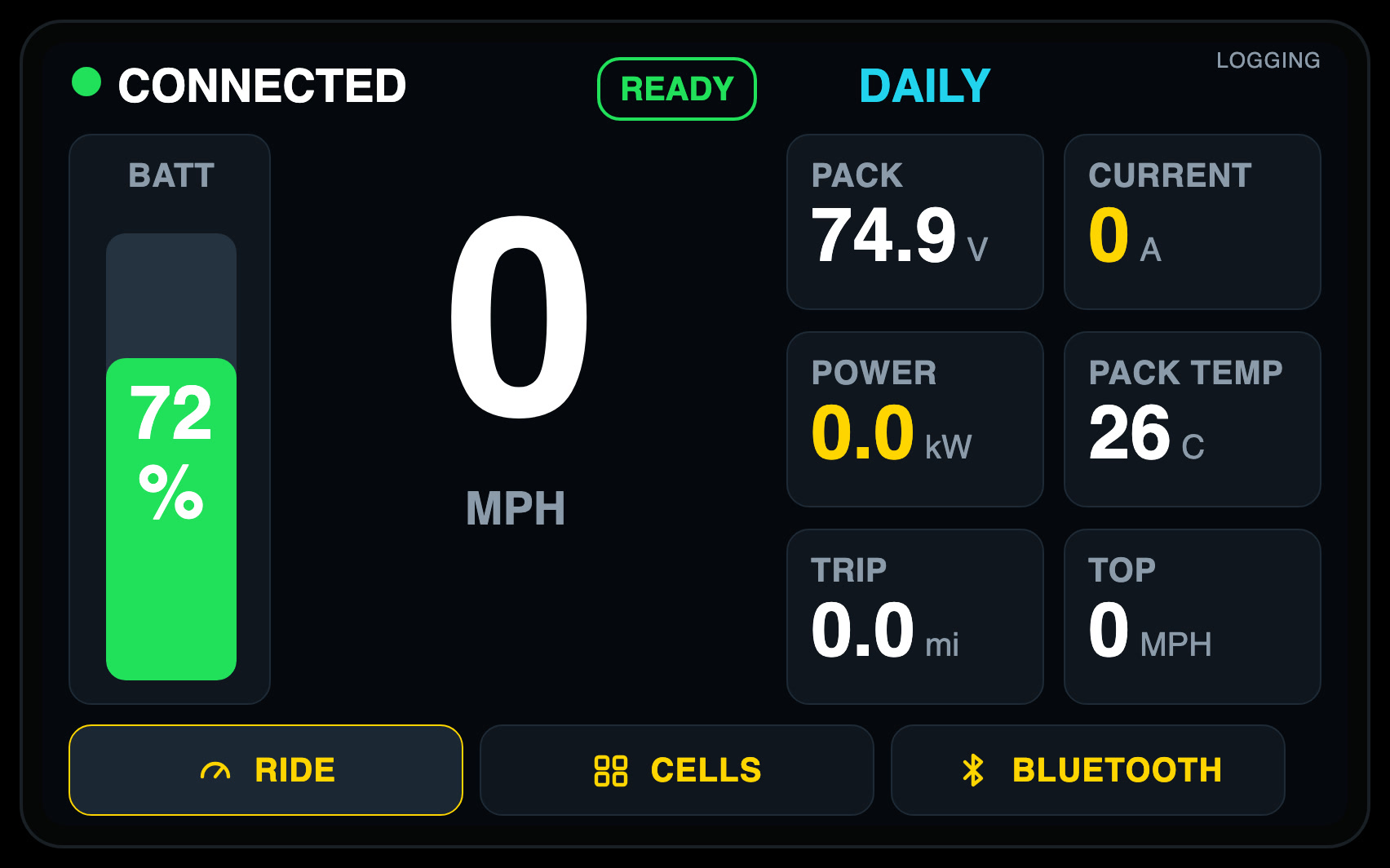
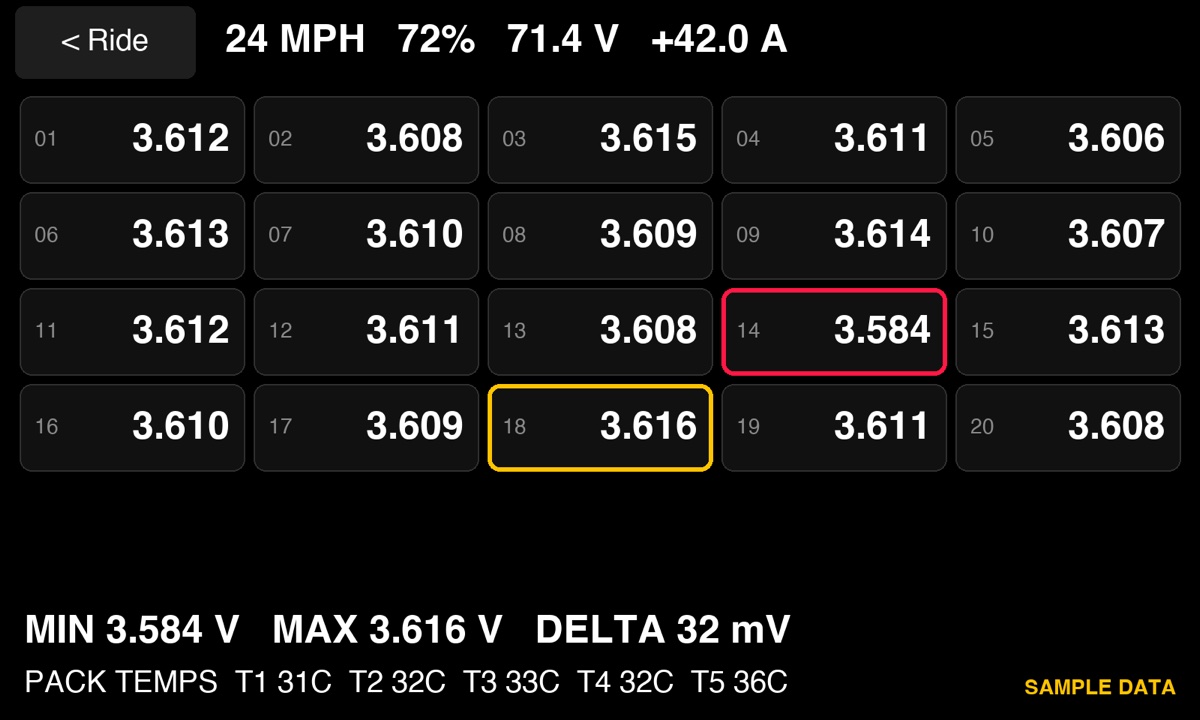
Looks like it came with the bike.
Up on the bars or tucked low on the portrait mount, same price. Shown on a SURRON Ultra Bee: the same 4.3″ Bright HUD that reads your TORP.
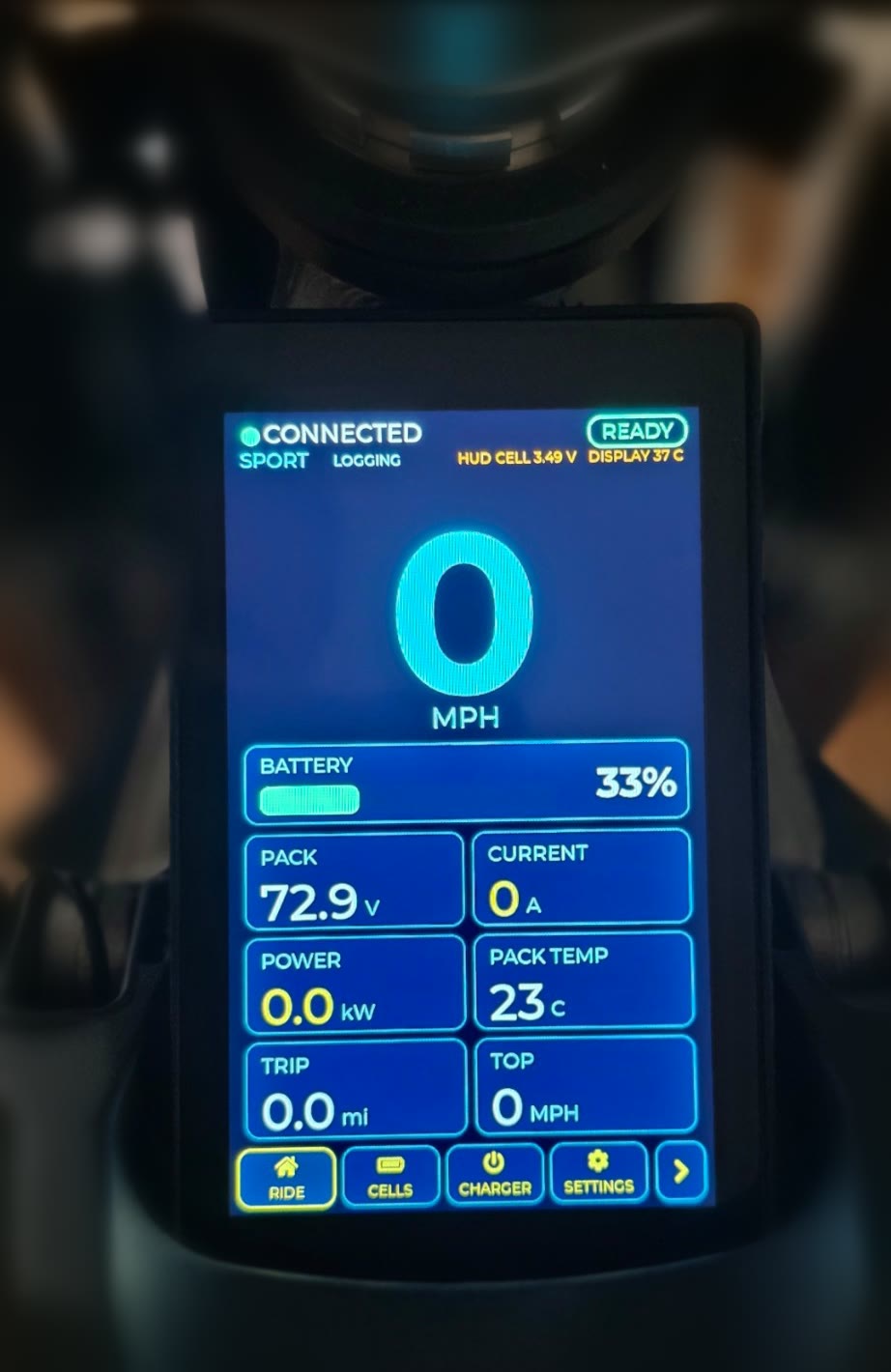
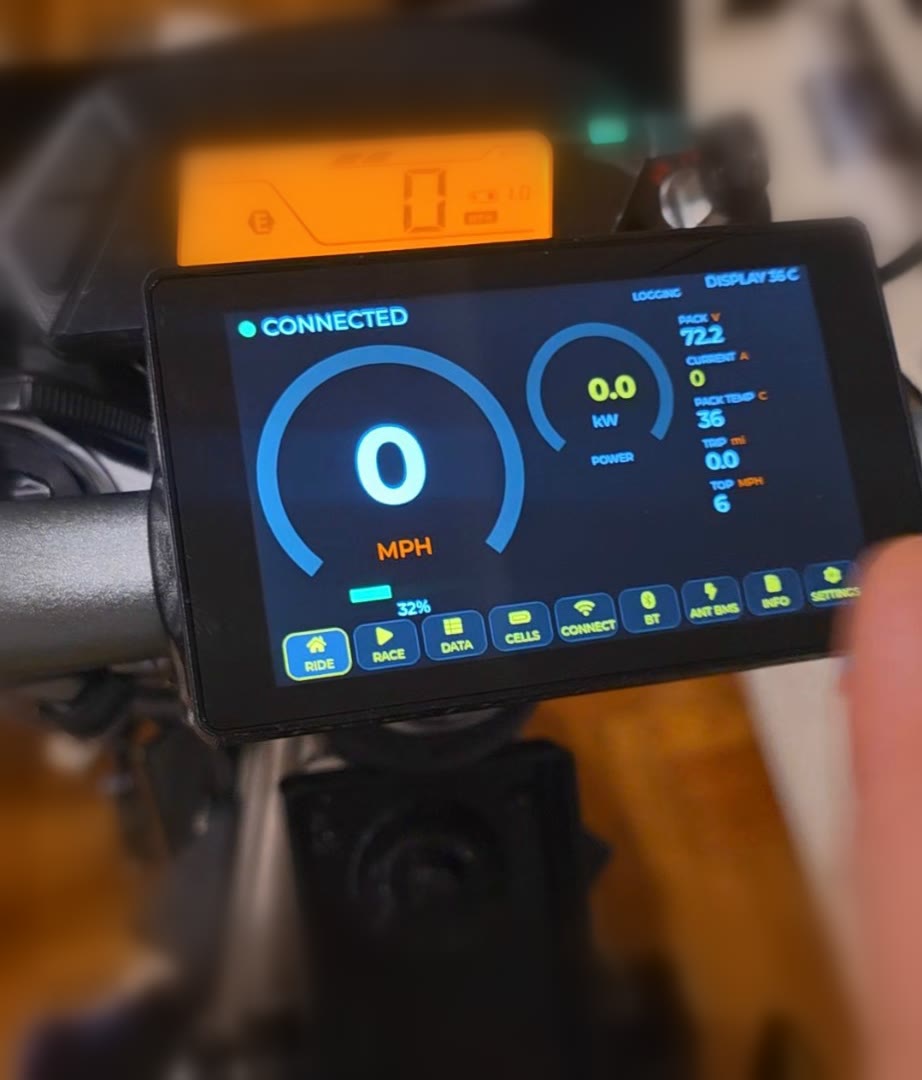
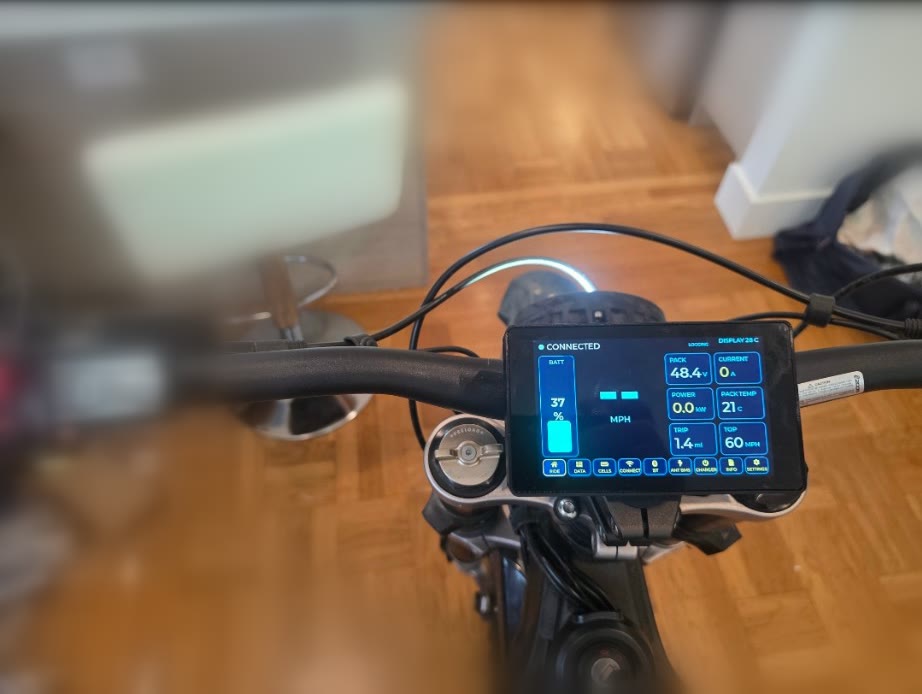
Your TORP’s live data, at a glance.
Read from the controller about 5 times a second.
| Speed | Big, from motor RPM. Fine-tunes itself while you ride. MPH or km/h |
| Battery | Charge %, pack voltage, battery amps and watts |
| Every cell | All 20 cell voltages, lowest and highest marked, and the spread between them |
| Temperatures | Controller temperature, motor temperature, and the hottest battery sensor |
| Motor | Motor (phase) amps and reverse |
| Ride | Trip, top speed, ride time, plus the HUD’s race page (0-30 mph launch timer and brake test) and screen themes |
Read-only today: the HUD only reads values and never changes a TORP setting. More functions are coming in free firmware updates.
Bluetooth for the TORP. A plug for power.
Bluetooth: your TORP controller already has Bluetooth (that’s how the TORP app talks to it). The HUD connects the same way and asks for live values: speed, cells, temperatures, amps and watts. Nothing to splice, nothing to add to the controller. If your TORP has a Bluetooth password (on the controller label), you type it on the HUD once.
CAN bus, in short: CAN is the two-wire network the bike’s battery, dash and controller use to talk to each other. The hardwired HUD plugs into the bike’s 6-pin plug for switched power, so it turns on and off with the bike. With TORP, the controller data comes over Bluetooth, not CAN. Want the long version? Read SURRON charge plugs and CAN bus.
One thing to know: a TORP accepts one Bluetooth connection at a time. While the TORP app is connected, the HUD waits. Close the app and the HUD reconnects.
About 5 minutes. No tools for the plug.
- Mount it. Clamp the mount on the handlebar (or pick the portrait mount in front of the battery lid).
- Plug it in. Plug the included 24 in cable into the 6-pin plug under the cigarette-lighter area. Early bikes with the large connector add the $29 adapter.
- Key on. The HUD turns on with the bike.
- Tap your TORP. Open the connection list, tap your controller under “VESC / TORP controllers”, and enter the Bluetooth password if it has one. Done.
Same install as every hardwired BeeDash HUD. More photos and the mount choices on the main HUD page.
BeeDash HUD vs the TORP display
From TORP’s own store and manuals, checked November 15, 2026. Where TORP wins, it says so.
| BeeDash HUD 4.3″ Bright | TORP Full-Color Display | TORP Display (original) | |
|---|---|---|---|
| Price | $139 | $149 | $119 |
| Screen | 4.3″ IPS, 480 × 800 | 2″ IPS | 40 × 20 mm |
| Brightness | 500 nits (panel maker’s rating) | “High brightness”, no figure published | Not published |
| Controls | Touchscreen | Buttons | Buttons |
| Connection | Bluetooth to the TORP, bike plug for power | Wired into the TORP loom. Bikes with a 3-connector loom need TORP’s 5-connector loom | Wired into the TORP loom (gen 1.x controllers only) |
| Every cell voltage | ✓ all 20 | Not listed by TORP | Not listed by TORP |
| Controller and motor temps | ✓ | Not listed by TORP (“controller data”) | Not listed by TORP |
| Amps and watts | ✓ battery amps, motor amps, watts | Not itemized (“battery data”) | Not itemized |
| Race page, themes, trip | ✓ | Not listed | Not listed |
| Change ride mode, reverse | Not yet (read-only today) | Yes | Yes |
| Water rating | Water resistant, no IP rating | IP65 | Not published |
| Works with the TORP app at the same time | No, one Bluetooth link at a time | Yes (wired) | Yes (wired) |
TORP sources: TORP Full-Color Display and TORP Display (official store, US prices), and the Full-Color Display manual. “Not listed” means TORP doesn’t mention it, not that it can’t. Prices change; check TORP’s store. You can run both: the TORP display stays wired and the HUD rides on Bluetooth.
BeeDash HUD 4.3″ Bright for TORP · $139 + $9.99 shipping
Made to order, ships in 5 to 7 days. Pay with PayPal or a card. No PayPal account needed.
TORP display questions
Does the BeeDash HUD work with a TORP controller?
Yes. The BeeDash HUD 4.3″ Bright connects to TORP controllers over Bluetooth and shows speed, battery, every cell, controller and motor temperature, battery amps, motor amps and watts. It was tested on a TORP TC1000 (hardware 2.0, firmware 1.17) on a SURRON Ultra Bee. TC500 owners: text 415.341.2281 before you order.
Can it change my TORP settings or ride modes?
Not today. The HUD is read-only: it only asks the controller for live values and never writes a setting. More functions are coming in free firmware updates.
Can I use the TORP app and the HUD at the same time?
No. A TORP controller accepts one Bluetooth connection at a time. When you want the TORP app (to change settings), close it when you are done and the HUD reconnects.
How long does the install take?
About 5 minutes on an Ultra Bee: clamp the mount on the bar, plug the cable into the 6-pin plug under the cigarette-lighter area, turn the key on and tap your TORP in the HUD's connection list.
Do I need a BeeLatch or the TORP display?
No. The hardwired HUD runs on bike power and reads the TORP directly over Bluetooth. You can keep a TORP display as well.
My TORP has a Bluetooth password. Does that work?
Yes. Type the number from your controller's label on the HUD once and it is saved.
How is speed measured?
From motor RPM reported by the TORP. It fine-tunes itself while you ride.
Is this made by TORP?
No. Electric Moto Garage is not affiliated with, sponsored by, or endorsed by TORP. TORP is used only to describe compatibility.
Electric Moto Garage is not affiliated with, sponsored by, or endorsed by TORP. TORP, TC500 and TC1000 are names of their respective owner, used only to describe compatibility.